McDonald’s App Canada: Order, Rewards & Deals
What the app does, and what it does not do
100 points per $1 spent
Order ahead, pick up at drive-thru
Free, iOS and Android
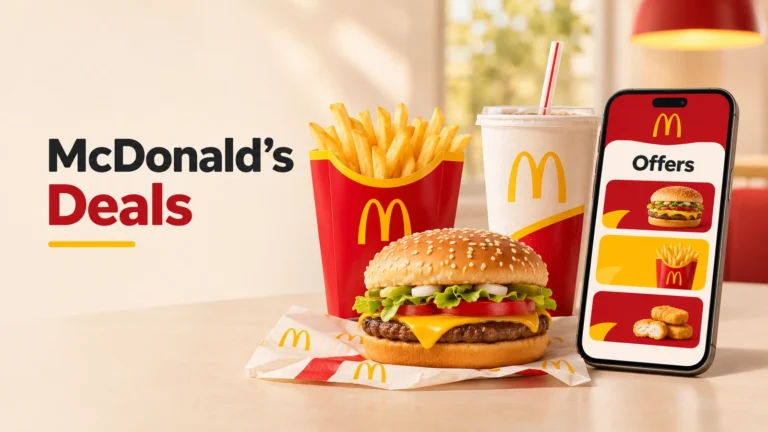
Looking for the McDonald’s app Canada? The app is how you order ahead, collect MyMcDonald’s Rewards points, and get the weekly offers that never appear on the in-store menu board. It is free on iOS and Android. This page explains, from the official McDonald’s Canada app page only, what the app actually does, what it does not do, and the exact setup steps. The dated app-only offers are on the deals page: a $2 snack McFlurry or Sundae on November 9, 16 and 23, 2026, and free medium fries with a $3 pre-tax purchase on November 6, 13 and 20.
MyMcDonald’s Rewards — 100 points with every $1 spent on eligible purchases
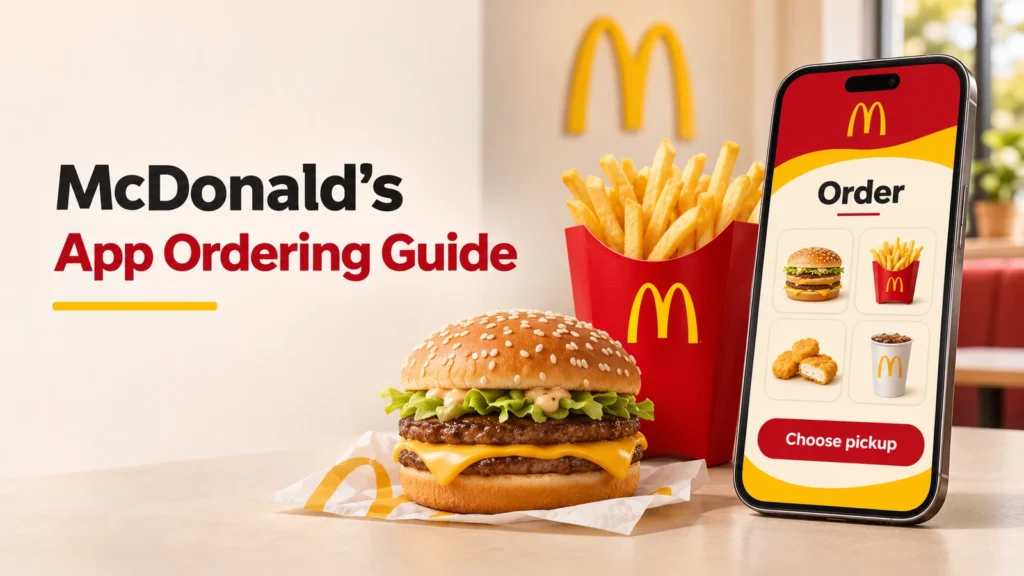
Mobile ordering — order ahead, pay in the app, pick up at drive-thru, curbside or front counter
Weekly offers — exclusive offers in the app every week, plus Golden Deals for your restaurant
Free app — Google Play and Apple App Store, download, register and activate
Quick answers
How do I get the McDonald’s app in Canada? Download it free from Google Play or the Apple App Store, then register and activate it. The official info site is mymcds.ca.
How do MyMcDonald’s Rewards work? You earn 100 points with every $1 spent on eligible purchases, and you redeem points for free items such as a Big Mac, a McMuffin or a Premium Roast Coffee. Eligible purchases only, at participating Canadian restaurants, excluding delivery.
Can I order ahead with the app? Yes. Order ahead, pay through the phone, and pick up at the drive-thru, curbside service or front counter. You can track the order in the app.
Do I need the app for the $5 McValue Meal? No. The $5 McValue Meals and the $1 small coffee are dine-in and drive-thru prices and work without the app. The app-only offers, like the $2 McFlurry, need the app.
Can I use my Canadian app points in another country? No. MyMcDonald’s Rewards are limited to the country your account is based in, so a Canadian account cannot earn or redeem points outside Canada.
What the app does
Three things, from the official app page. MyMcDonald’s Rewards: earn 100 points with every $1 spent, and redeem for free items such as a Big Mac, a McMuffin or a Premium Roast Coffee. Mobile Ordering: order ahead, pay through the phone, pick up at the drive-thru, curbside service or front counter, and track the order in the app. Weekly offers: exclusive offers in the app every week, plus the Golden Deals, which are personalised per restaurant. Delivery goes through McDelivery, which is ordered in the app and carried by delivery partners.
How to set it up
The official page lists four steps. Download the app from Google Play or the Apple App Store. Register and activate it. Set up a credit or debit payment method. Turn on location services and push notifications for current offers and nearby restaurants. The app listings show Google Play updated October 8, 2026, and the Apple App Store version 26.74.4, October 6, 2026. The app is free on iOS and Android.
How to earn and redeem points
To collect points, scan your Rewards QR code when you buy at the front counter, kiosk or drive-thru. If you use mobile ordering, the points are applied automatically. Points are earned on eligible purchases only, at participating Canadian restaurants. To redeem, pick the reward in the Offers section of the app and scan the QR code at the front counter, kiosk or drive-thru, or add it to a mobile order. Points can also be earned and redeemed on delivery orders placed through the McDonald’s app itself, but not on delivery orders placed with a third-party operator such as DoorDash or Uber Eats. The official app page does not publish a points price list, so this page does not print one: the examples given are a Big Mac, a McMuffin and a Premium Roast Coffee. Points are non-transferable and can be used only by the account holder.
What the app does not do
The app does not change the in-store prices. The $5 McValue Meals and the $1 small coffee are dine-in and drive-thru only and do not apply to delivery, and delivery menus run 15 to 30 percent above in-store prices. The full comparison is on the delivery vs in-store page. The app does not show one national price list either: it shows the menu, prices and pickup methods of the restaurant you select. And the app is now the only way to play Monopoly: in-restaurant play ended November 2, 2026, and app play runs until November 23, 2026, on the Monopoly page.
FAQs
Free from Google Play or the Apple App Store. Search for McDonald’s, download the official app, then register and activate it. The official info site named in the app listings is mymcds.ca. The app is free on iOS and Android.
You earn 100 points with every $1 spent on eligible purchases, and you redeem points for free items such as a Big Mac, a McMuffin or a Premium Roast Coffee. Eligible purchases only, at participating Canadian restaurants, excluding delivery. You need the app downloaded, registered and activated to collect points.
Scan your Rewards QR code at the front counter, kiosk or drive-thru before you pay. If you order through mobile ordering in the app, the points are applied automatically. Points are earned on eligible purchases, and they are limited to the country your account is based in.
Pick the reward in the Offers section of the app, then scan the Rewards QR code at the front counter, kiosk or drive-thru, or add the reward to a mobile order in the app. For delivery orders placed through the McDonald’s app, add the reward item to your McDelivery order. Rewards cannot be redeemed on delivery orders placed with a third-party operator such as DoorDash or Uber Eats.
Order in the app, pay through the phone, and pick up at the drive-thru, curbside service or front counter. You can track the order in the app. Delivery is separate: it goes through McDelivery, ordered in the app and carried by delivery partners.
Download, register and activate the app, set up a credit or debit payment method, and turn on location services and push notifications for current offers and nearby restaurants. Those are the setup steps on the official McDonald’s Canada app page.
Checked November 9, 2026: a snack-size McFlurry or Sundae for $2 plus tax, app only, on November 9, 16 and 23, 2026, excluding premium McFlurry flavours, one redemption per user. Free medium fries, or a free hash brown until 11 a.m., with a $3 pre-tax purchase, on November 6, 13 and 20, 2026, one redemption per user. The app also carries weekly exclusive offers and Golden Deals for your restaurant. The dated list is on the deals page.
Yes, through McDelivery, ordered in the app. Delivery menus run 15 to 30 percent above in-store prices, and the $5 McValue price and the $1 coffee do not apply to delivery. Points are earned and redeemed on delivery orders placed through the McDonald’s app itself, but not on orders placed with a third-party delivery app.
This page does not print one expiry figure, because McDonald’s own FAQ pages disagree: one gives 12 months, another gives 6 months. The official Canada app page checked November 9, 2026, does not settle it. Check the Rewards terms inside your app for the figure that applies to your account.
No. Reward points are non-transferable and can be used only by the account holder. Points are also limited to the country your account is based in, so a Canadian account cannot earn or redeem points outside Canada.
More McDonald’s Canada prices and guides
Menu hubs: Burgers · Chicken · Breakfast · McCafé · Desserts & Sides · McValue · Wraps
Guides: Big Mac price in Canada · Prices by province · Delivery vs in-store · Monopoly Golden Edition 2026 · McDonald’s Deals Canada · McDonald’s Hours Canada · McDonald’s Locations Canada
About this site: About Us · Contact Us · Privacy Policy · Disclaimer
Back to McDonald’s Menu Prices Canada